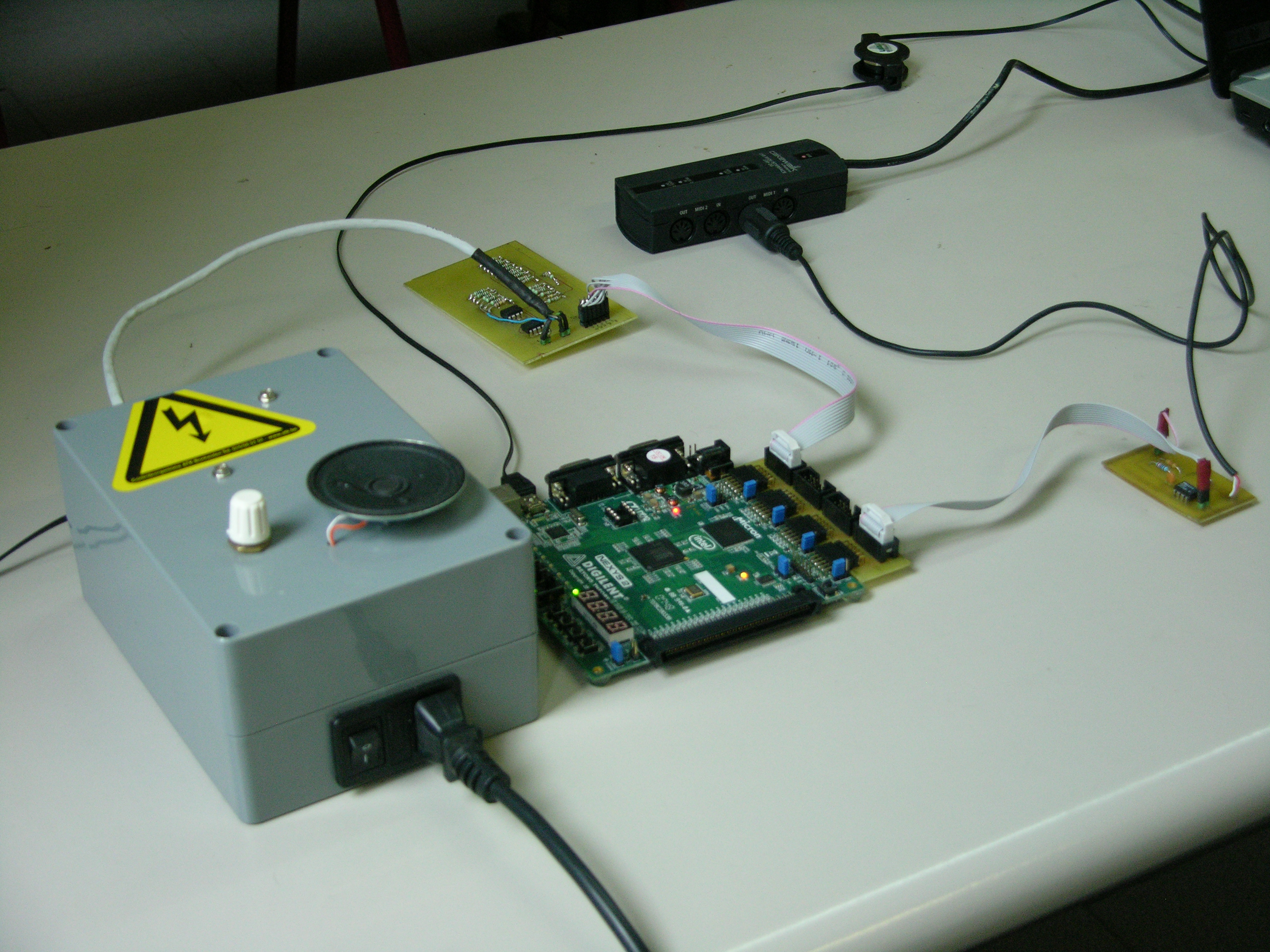
Over the past two years, I’ve completed a bachelor course in electronics. In the second and thus final year, we were assigned to come up with a project to complete over the year. My classmate Raf and I are both interested in music production, so we decided it would be a fun idea to create our very own synthesizer.
We actually made the decision to make a synthesizer in our first year, so we certainly would have enough time to work it all out properly. In this first year, we were introduced to the FPGA, which can briefly be described as a digital playground that allows you to build just about any digital circuit on it. (To give an idea: You could actually design a micro-controller on the thing if you’d want to).
Our interest for the FPGA sparked, we decided to use that to build the synthesizer around. Thus the decision was made to go digital. Anyway, I could go on for a while on the why and when, but let’s take a look at how this stuff works first.
Read more »
The problem of finding the amount of matches in another table is one that had me stumped for a while, but after googling a while, looking through concepts that were new to me, I figured it out. Since it may be a fairly common problem, I thought I’d share my solution here.
Use cases
I used this technique to find the amount of posts a user has on a forum, in a situation where I have a users table, and a forum table. Other possibilities could be amount of sales for a certain item in a webshop, where the items are in a table, and the sales in another. I’ll use the users / posts example to show the query.
Users table
| user_id |
username |
| 1 |
Mich |
| 2 |
John |
| 3 |
CornCob |
Forum table
| post_id |
user_id |
topic_id |
message |
| 142 |
1 |
54 |
Pellentesque posuere… |
| 143 |
3 |
42 |
Cras sodales molestie… |
| 144 |
3 |
54 |
Phasellus condimentum euismod… |
| 145 |
1 |
65 |
Aliquam placerat nibh ut… |
| 146 |
3 |
54 |
Donec nec convallis… |
| 147 |
1 |
54 |
Sed tincidunt fermentum… |
| 148 |
1 |
60 |
Aenean id turpis… |
The query
SELECT
  users.user_id,
  users.username,
  COALESCE(pc.postcount, 0) AS postcount
FROM
  users
  LEFT JOIN
  (
    SELECT
      forum.user_id,
      COUNT(forum.post_id) AS postcount
    FROM forum
    WHERE 1
    GROUP BY forum.user_id
  ) pc ON pc.user_id=users.user_id
WHERE 1
Read more »
TL;DR: I made this thing: Minecraft design tool
My girlfriend bought me the ever-so-popular indie game ‘Minecraft’ for my birthday, even though I kept saying I would never play it. I tend to get obsessive over certain thing; mostly things that involve creating, building, which is all Minecraft is about. After having seen her play it for quite a while however, I decided to give it a go anyway, as it looked like far too much fun to be left alone. As expected, I did start to obsess over it, once I got everything down properly (which was rather soon since the game is really easy to play).
Since Minecraft also has a multiplayer mode, my girlfriend and I were soon playing together in our own virtual world. After a while we started building things together, which was and still is endless fun. However, when you just explain your idea of what you want to build, there sometimes is a bit of miscommunication, and one or the other starts building things in a way that wasn’t intended, because they misunderstood. Needless to say, this happened a couple of times, with mutual frustration as a result.
A simple drawing on a grid can greatly help explain what you mean, I thought; thus, I got to work. I decided to quickly throw together a tool that lets you draw things in 2D, with Minecraft material sprites. I built it with the tools I’m most experienced with; namely HTML, CSS and JavaScript.
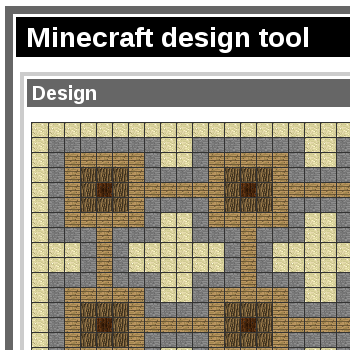
The tool simply uses a table as its grid. I realize that a drawing isn’t quite tabular data, but it seemed the best way to go for it. Since I used HTML5 to make it, I know I could just have used the <canvas> tag, but I’m afraid I don’t have quite enough experience with that one to build something with it quickly—which was mostly the goal here. That and the fact that canvas is one of the things that can’t really be used in older browsers, so it would effectively NOT work there, made me decide to use a table.
I kept the tool very simple and to the point, because all I really wanted was a quick design tool that let you share your designs with others. It isn’t quite the prettiest as it is, but it’s functional, and that’s what matters… to me, at least.
The first version I put up did not have a save button, as it was pure HTML, CSS and JavaScript. To share a design, you had to use the export function, paste the exported data (which is in JSON-format, for those interested), copy the output to your Minecraft partner(s), and have them import it again. Since this is a rather tedious way of sharing designs, I built the PHP part later, which saves a design under an 8-character ID. This way, you can just copy an url the conventional way, and the design will be loaded straight away. For those who still have an exported design sitting around somewhere, you can still import it and save it online.
Seeing as there is no account system or anything, you can’t save to the same ID; you always save to a new one. This prevents people from vandalizing others’ designs. (Or griefing, if you prefer the popular Minecraft term).
Future ideas
Since I made a PHP part for it, I’m planning to expand on that. One nice idea I have is to build an actual image generator; PHP would simply combine the sprites into a single image and make it available for download as a PNG.
Another handy feature would be to have a little list of latest designs, so you don’t need to bookmark everything. I might use a cookie to have a list of the latest designs you made, which makes it easier to find your own designs, rather than just the latest few. I’ll keep you updated.
EDIT 2016-07-10: Well, none of that ever happened.
It has been far too long since I last updated, and that’s not just because I forgot about it; I’ve been putting it off. Lately, I’ve had quite a couple of ideas to blog about, but I just didn’t want to because I had grown so tired of the dark design I made. I guess it was sort of stylish, in its own way, but I’ve started liking bright colour schemes better.
Therefore, before I wanted to blog again, I wanted to make it look pretty to look at; as you can see, I went for it and finished it; I’ll leave it up to you whether or not I succeeded.
I decided to finally jump on the bandwagon and do it all in HTML5, rather than the good ol’ XHTML. I think browser support for HTML5 is getting big enough to really start using it as the main technology in webpages; besides, it’s easy to set it all up so older browsers display everything all right as well.
My starting point for this custom theme was HTML5Reset‘s ‘empty’ WordPress theme. It’s basically a very basic theme, with minimal styling, so you don’t really need to actually get rid of anything to get it the way you want. It was very easy to work with, and I’m happy with the result.
What’s left
Now as you may have noticed, at the moment of writing, I’ve only redesigned the blog; the rest of my site still bears the dark brown design. I’ll be redo-ing my portfolio as well as the front page in this style, so it all matches. There are a couple of menu options up there in the navigation that don’t work properly yet too (most importantly, the ‘Music’ one), so I’ll be working on that as well.
Either after or before that, I’ll write a bit more about all the things I’ve been up to. It’s quite a bit.
If you’ve ever used JavaScript’s getElementsByTagName(), you may have noticed something annoying about its behaviour. (Well, it’s only annoying depending on your application.)
getElementsByTagName returns every element matching the tag name given, regardless of its position in the document tree. This is annoying if you only want to use the elements that are direct descendants of the element you’re calling it from.
So anyway, to cut this short, I wrote a quick but effective function that works just the same as getElementsByTagName, with the difference that it only returns direct descendants. Just add in this snippet of code and you can start using the function just as you would use getElementsByTagName.
Object.prototype.getChildNodesByTagName = function (tagName) {
    var byTagName = this.getElementsByTagName(tagName),
        outArr = [],
        i;

    for (i = 0; i < byTagName.length; i++) {
        if (byTagName[i].parentNode == this) {
            outArr.push(byTagName[i]);
        }
    }

    return outArr;
}
Here’s how it works:
The function uses the typical getElementsByTagName, and then iterates over all the elements found. For each element it checks whether the element’s parentNode equals this, which is the node that should be the parent of any elements we want to return.
When the comparison is positive, the element is added to the array, which is later returned.
I hope you can put it to good use!
Leave me a comment if this was helpful to you, or if there’s anything wrong, please.
Today, I decided to fiddle with things a bit.
We had these LED spots in the house, just like these (random google images find), but they broke pretty fast. When I had replaced them with regular halogen spots again, I decided to see what’s inside them, and see if I could perhaps find what’s wrong with them.
It turned out there’s a simple circular PCB with a sort of high-power SMD LEDs mounted on there. In the other part of the spot, there’s a small transformer circuit, which, as it turned out, is what’s broken. I test the LED board separately, and found that it just runs on a typical 12V DC, which is why I decided to do something with them.
I’m not going to bother trying to get the broken circuitry back to work, though.
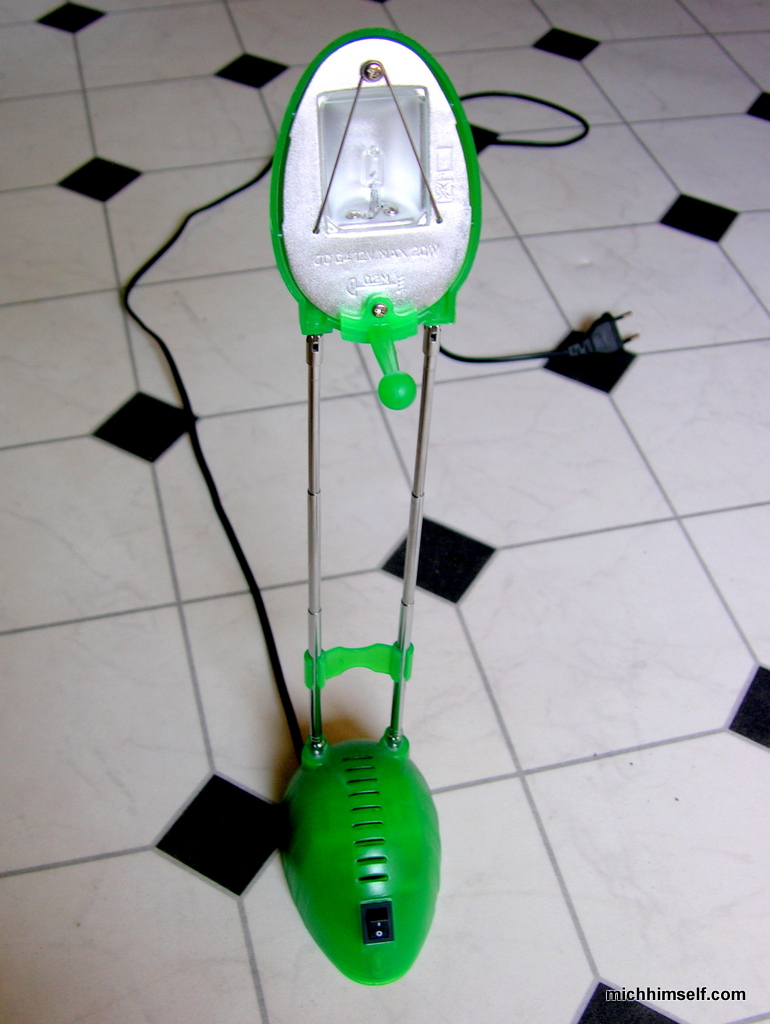
Anyway, I got the idea to replace the halogen lamp of my desk lamp, with the LED part of the spot. I took some pictures, so you can have a look.
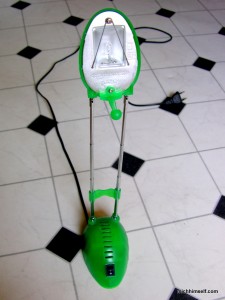
Here’s the original, intact lamp.
Read more »
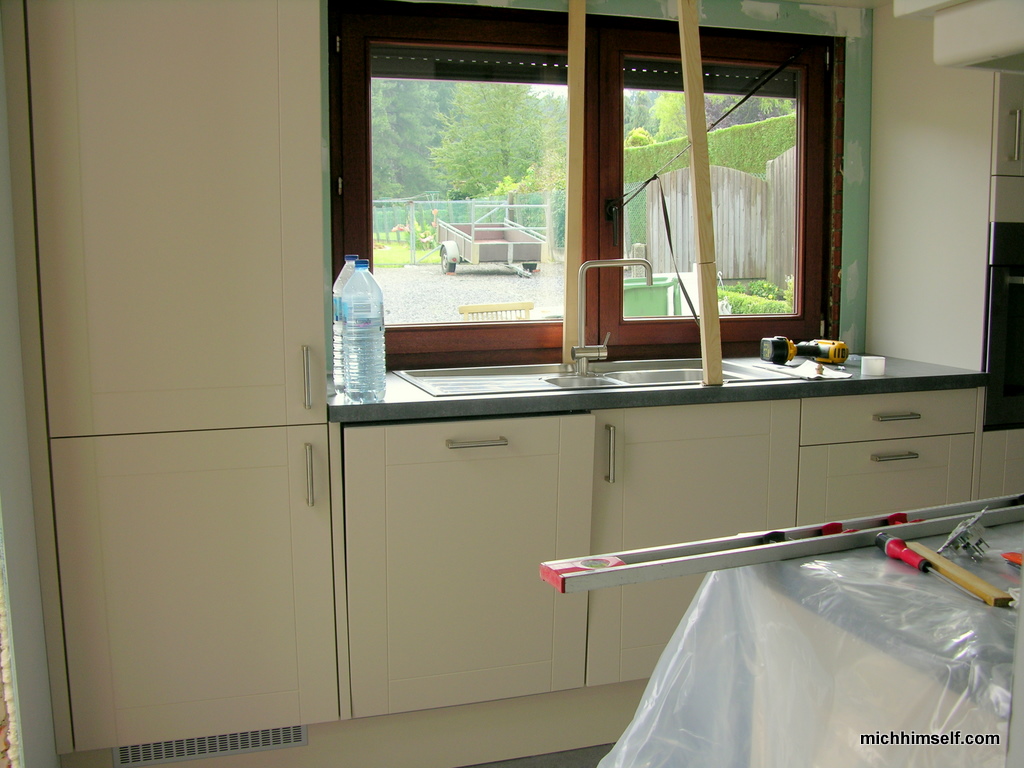
Yesterday, the kitchen furniture was delivered. The store where we bought it from sent 3 guys with it to install all of that, which has been done in one day.
There are still quite some spots that need to be finished up (painted, or tiled), but I must say, It’s looking pretty amazing already. Let’s move on to the pictures, shall we?
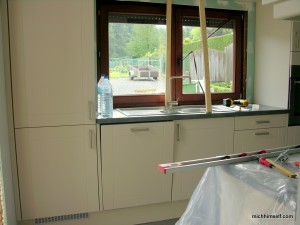
Here’s a first view. On the left is the fridge and the freezer (the fridge is on top), neatly built in. Then, the dishwasher (woohoo), and some other cupboards.
The sink is also on that side of the kitchen now, so you can work with daylight, rather than face a wall.
Read more »
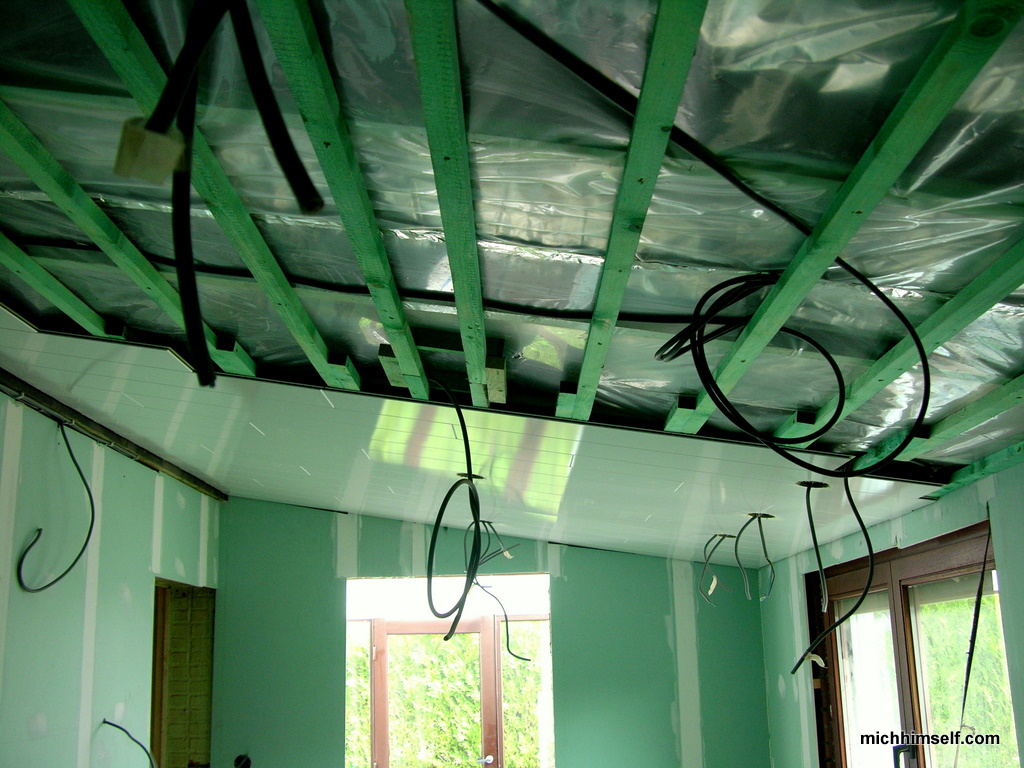
Some progress has been made since last time, so here’s another update. (And mostly because Brittany really wants new pics.)
Here goes.
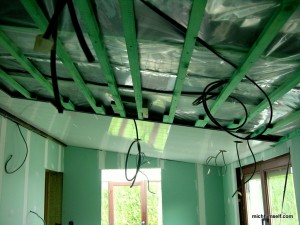
Here the ceiling is in progress.
Read more »
I figured it’s time for another update, as much has been done since we finished digging all that clay. Since then, pipes for water and cables for electricity have been put in place, concrete has been poured, walls have been placed, stabilizer has been poured, etc.
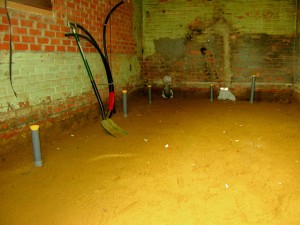
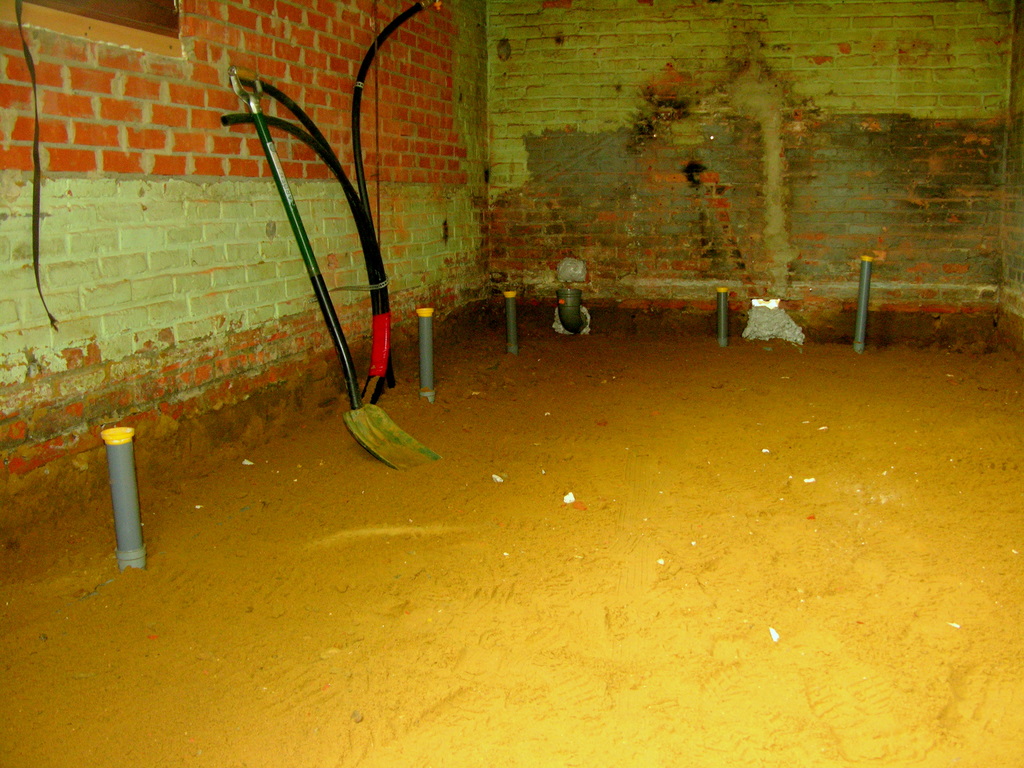
Here, a bunch of pipes for the used water have been put in place, and covered by sand again. There are so many of them because the room you see is going to be both the bathroom and the kitchen; a wall to separate them again has yet to be built.
Read more »
Over the time I got into web development, I’ve headed to google a lot. This has resulted in running in to countless handy resources I didn’t know of before.
In this post I’ll try to make a summary of a good set of links regarding webdev. If it’s not obvious, the paragraph headers link to the pages I’m talking about.
Note: my first one used to be W3Schools, but I found out that W3Schools has multiple cases of misinformation in their tutorials, as is more thoroughly explained here.
On Html Dog, you can learn the basics of HTML and CSS, and go from there. This is a lesser known tutorial site, but is very clear in it’s explanations, and more technically accurate.
Whenever I run in to a good site that gives an introduction to PHP or JavaScript, I’ll add it on here as well, since the removal of W3Schools takes those away.
If you’re developing pages in PHP, and need to know what the order of the parameters of the explode function was, you can find it here. PHP.net has a really nice manual for every function that’s built in the language, and trust me, that’s a lot. The manual goes in detail about what the functions do, with added examples to help clarify. What helps is that when you just type ‘php’ [function name] in the url bar and hit enter, it takes you right to the function page 95% of the time. That is, if you’re using a decent web browser.
jQuery is with good reason the most popular JavaScript library. It does exactly as it promises: write less, do more. Using jQuery makes JavaScript fun again. jQuery is not only easy to learn, it also has a whole lot of support. At api.jquery.com, you have the whole manual at your fingertips. I can comment the same thing on the jquery manual as I can on PHP’s. The same thing goes here as well, type ‘jquery’ [function name] in the url bar, and you’re there in seconds.
Once you’re starting to have a decent grasp of your (x)HTML and JavaScript (and perhaps jQuery), you will probably get into ajax. Ajax basically is a technique that allows you to send/receive date to/from the server, without having to load a whole page. Since using this technique will often cause the user to have to wait for a little while, it’s always handy to show a little spinning animation, so the user doesn’t get the idea it’s not responding. You’ve probably seen them all before, but where do they come from? On this website, you can easily generate one of these nice gifs, in custom colours. It’s straight, to the point, and very handy.
Every decent website has its own custom icon that show up in the url bar and in the tab its loaded into. Such an icon is called a ‘favicon’. On this site you can import an image to convert it to an icon, and you can alter it after that. That or you can just start from scratch and start clicking pixels on the neat JavasScript-driven web app.
I found out about this little gem not so long ago, and I’ve fallen in love with it. JsFiddle allows you to- you guessed it- fiddle with JavaScript. The interface is as simple as it can get, yet it must have quite a complex background engine. You get a HTML editing area, a CSS area, and a javascript area. The fourth area is the resulting webpage. This website saves you the hassle from saving/refreshing the whole time with a text editor/browser combo. Just a click on the “run” button suffices here. The app also has a really nice tidy up function, which fixes all your indentation failures. On top of that, you can choose to use one of the javascript libraries that are available, which makes jQuery testing handy. And then you can save your fiddles as well, so you can share it with others. The update button makes sure you don’t mess up what you made completely, as it saves it as a new version of the fiddle automatically. I love this site.
Pastebin is a handy tool for collaboration. Basically, you can paste your code snippet, and select which language it’s in. It’ll automatically highlight the syntax accordingly. You can select how long you want to have the entry up on the site, and then you can share it. It has some handy embed and download functions as well. I think this is mainly handy for sharing code, showing examples, and letting other people check your code.
This beautiful website helps you out a lot when you’re failing at selecting good colours for your design. It has a variety of options to build fresh looking colour schemes. It has many features for things you wouldn’t even think about.
That about wraps it up for this post, I think. If I’ve missed any significant web apps/resources, please let me know. I’ve only included those I personally have experience with, so it’d be great if you could introduce me to some others as well.